You’re moving a workload and the application can’t change its IP address. Licensing is pinned to it, or a hardcoded config file three tiers down references it, or nobody left at the company knows what would break. So you pre-stage the target subnet in Nutanix Cloud Clusters (NC2), extend it at layer 2, and start moving VMs across.
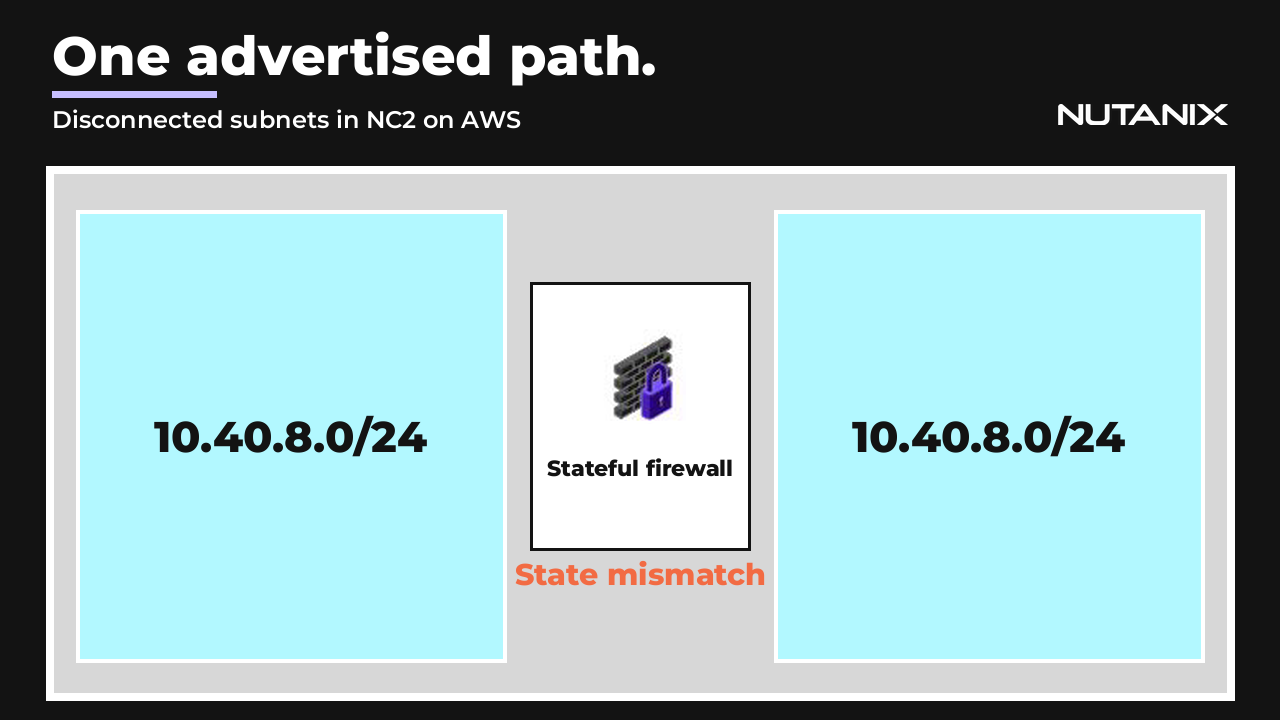
Now the same prefix is advertised from two places at once. Traffic to a given VM picks whichever path the upstream routers prefer at that moment, and the return traffic picks its own. The SYN goes one way, the acknowledgement comes back the other, and a stateful firewall that only saw half the conversation drops it. Connectivity works, then doesn’t, then works again. Anyone who has spent a Saturday chasing that pattern with packet captures on both sides knows how expensive it gets.
Disconnected overlay subnets in Nutanix Flow Virtual Networking (FVN) exist to make that state impossible. The subnet gets to exist before it gets to be routed.
Chapters
- 0:00 Why pre-staging a subnet breaks routing
- 0:24 The one thing the Network Controller changes
- 0:59 What survives the disconnect, what doesn’t
- 2:10 Advertise Connected Subnets and the BGP dependency
- 3:09 Running the migration end to end
- 4:17 Where you can’t use it, and what it isn’t
What “disconnected” actually changes
Mark an overlay subnet disconnected and the Network Controller removes that subnet’s local route from the virtual private cloud (VPC) router, then propagates the change through dynamic routing. That is the whole mechanism. There is no second thing happening underneath.
The subnet still exists. The VMs still exist, with their virtual NICs, their IP addresses, their MAC addresses, and full layer 2 reachability to each other. Nothing is deleted and nothing is renamed. The subnet type doesn’t change. Neither does the IP address range, the IP address management (IPAM) configuration, or the DHCP settings. It’s a routing state that you set and unset, not a teardown you have to rebuild from.
That distinction is the reason this is useful. A subnet you deleted and recreated is a different subnet with a different history. A subnet you disconnected is the same subnet with its route pulled, waiting.
What keeps running, and what stops
Worth being precise here, because the list is longer in both directions than people expect.
Keeps running:
- VMs in the subnet keep talking to each other over layer 2.
- Nutanix IPAM keeps handing out addresses.
- Subnet extension over VXLAN tunnel endpoints (VTEP) keeps operating. You can extend two overlay subnets with one or both of them disconnected, which is what makes the pre-staged migration target reachable at all.
- Flow Network Security policies stay in effect.
- Disaster recovery covers every supported recovery point objective (RPO), including synchronous and near-synchronous replication, and Cross-Cluster Live Migration (CCLM) still works for VMs in the subnet.
Stops:
- Inter-subnet routing inside the VPC. VMs in the disconnected subnet can’t reach VMs in other subnets of the same VPC.
- Egress through a NAT external subnet, and egress through a no-NAT external subnet.
- A floating IP address mapped to a virtual NIC in the subnet is preserved but unreachable. It comes back on reconnect.
- A load balancer backend address in the subnet is treated as unhealthy, and VMs there can’t use the load balancer’s public or internal addresses. Backends get revalidated on reconnect.
- A policy-based reroute address in the subnet is treated as unreachable, and FVN applies whatever fallback action the reroute policy specifies.
- On an unmanaged overlay subnet, the DHCP relay holds messages and only forwards them to the external DHCP server after you reconnect.
- Services deployed there, Nutanix Files file server VMs and Nutanix Database Service instances included, are unreachable until reconnect.
Transit VPCs behave the way you’d hope. Disconnect a subnet that belongs to a transit VPC and its routes are withdrawn from the VPCs routing through it as well.
One naming trap worth knowing before it costs you an afternoon: a subnet has a State, and a virtual NIC has a Network Connection State. Separate settings, separate layers, identical values. A NIC attaches to a disconnected subnet perfectly happily and reports itself connected, and still can’t route anywhere. If a VM looks fine at the NIC level and traffic is going nowhere, check which of the two you actually changed before you start capturing packets.
Advertise Connected Subnets, and where BGP comes in
Removing a local route from the VPC router is useful on its own. Getting the upstream physical network to agree, without someone editing route maps at 2am, is what makes this work at scale.
Advertise Connected Subnets is a per-VPC option that controls how the VPC advertises its overlay subnet prefixes through Border Gateway Protocol (BGP). Left off, which is the default, the BGP gateway advertises the VPC’s full Externally Routable Prefix (ERP). Turn it on and the gateway advertises only the overlay subnets currently in the connected state. Disconnect a subnet and its route is withdrawn upstream. Reconnect it and the route is readvertised. There’s no manual step in between and no stale prefix left behind in the physical network after a switchover.
Both halves of the BGP dependency matter, and they’re easy to state wrong.
Disconnecting a subnet does not require a BGP gateway. The local route comes out of the VPC routing table either way.
Advertise Connected Subnets does require one. Without a BGP gateway there’s nothing to withdraw the route from the upstream network, so you’re back to touching the physical side by hand at cutover, which is the work this feature exists to remove.
Set the option on a transit VPC and the same behavior applies uniformly to every VPC connecting through it. In that case the per-VPC setting isn’t exposed on the downstream VPCs at all. You configure the option when you create or update the VPC.
Doing it in Prism Central
The video skips the click path. Here it is, because this part is short and you’ll want it in front of you the first time.
To disconnect a subnet:
- Log in to Prism Central.
- From the Application Switcher, select the Infrastructure application, then go to Network & Security > Subnets in the navigation bar. The Subnets page opens on the List tab.
- Select the checkbox next to the overlay subnet you want to disconnect. The State column shows where it currently sits.
- From the Actions dropdown, select Disconnect. The Disconnect Subnet confirmation dialog appears.
- Read the impact summary in the dialog, then click Disconnect.
The Network Controller validates prerequisites at this point. If a Network Gateway VM is deployed on the subnet, or an active load balancer session uses the subnet as its virtual IP address (VIP) subnet, the state change is blocked with an error. Clear the blocker and try again. When it succeeds, the State column reads Disconnected. If Advertise Connected Subnets is enabled on the VPC, or on the transit VPC it connects through, the route withdrawal upstream happens on its own.
To reconnect:
- Same navigation: Infrastructure > Network & Security > Subnets.
- In the Filters pane, filter the State column by Disconnected to find it quickly.
- Select the checkbox, then choose Connect from the Actions dropdown.
- Review the impact summary and confirm.
Reconnect runs a different validation than disconnect: the Network Controller checks that the subnet’s IP address ranges don’t overlap with other connected subnets sharing the same VPC routing table. A conflict blocks the change. That check is the guardrail against recreating the two-paths problem from the other direction, and it’s the reason the reconnect side has a prerequisite the disconnect side doesn’t.
No new permissions to set up for any of this. The feature inherits the existing role-based access control (RBAC) roles and permissions for subnet management, so whoever can update an overlay subnet today can change its state.
The migration, in order
Put it together and a cutover looks like this.
Pre-stage the NC2 side first. Create the target subnets and mark them disconnected before anything moves. They exist, they’re addressable internally, and nothing about them is advertised.
Extend the subnet at layer 2. On-premises stays the only place advertising that route, so the upstream network sees exactly one path and the stateful firewalls stay happy.
Move workloads across incrementally. Clients keep reaching them over the existing path, because that’s still the only path.
At cutover, disconnect the source and connect the recovery side. One advertised path the entire way through, no BGP community surgery, no long change window for the routing team. To fall back, run it in reverse.
The same shape covers three situations: staged subnet-level failover across availability zones, staged switchover during a workload migration including one out of a third-party cloud, with original IP addressing preserved, and isolating a subnet for maintenance or troubleshooting without disturbing the subnet’s configuration, its VMs, or the policies that reference them.
Why Nutanix Disaster Recovery couldn’t cover this alone
This closes a real gap. Recovery Plans in Nutanix Disaster Recovery don’t support overlapping subnets in a network-mapping configuration, which means the same subnet can’t be active in both availability zones. The documented approach to partial subnet failover reflects that: create a new subnet to host the failed-over guest VMs and change their IP addresses.
Which is precisely the re-IP the application can’t take. That’s the constraint that sent you looking at layer 2 extension in the first place, and the reason you ended up with two advertised paths.
The limits, and what this isn’t
Only overlay subnets without external connectivity can be disconnected. VLAN subnets, VLAN Basic Subnets, overlay external subnets, and Overlay External Network (OEN) subnets can’t. Neither can an administrative subnet hosting an attached Network Gateway VM, or a subnet serving as the VIP subnet for a load balancer session. The Network Controller blocks the state change in both of those last two cases rather than letting you find out later. Network Function Chaining for VMs in a disconnected subnet isn’t supported in this release.
And this is not a security boundary. I want to be blunt about that because the shape of the feature invites the wrong conclusion. Flow Network Security policies that reference the subnet keep applying, both to intra-subnet traffic and to traffic arriving over an extended layer 2 connection. A disconnected subnet is unrouted, not isolated. If isolation is what you’re after, write a security policy.
Disconnected overlay subnets ship for NC2 on AWS, with broader substrate support in 7.6.1.
Configure BGP once, then control the cutover from Prism Central instead of from the router.