I’ve spent enough time around federal AWS accounts to know the pattern by heart. Someone builds a clean CloudFormation deployment, tests it in a sandbox account, hands it off to the team that owns the real environment, and watches it die on step one. (If the sales specialists for GC2/NC2 read this, I know they will be nodding their heads) Not because the template is wrong. Because the account itself won’t let a single person hold the permissions the template assumes they have.
That’s the situation Nutanix Government Cloud Clusters (GC2) has been living in until now.
The old way: one person, all the keys
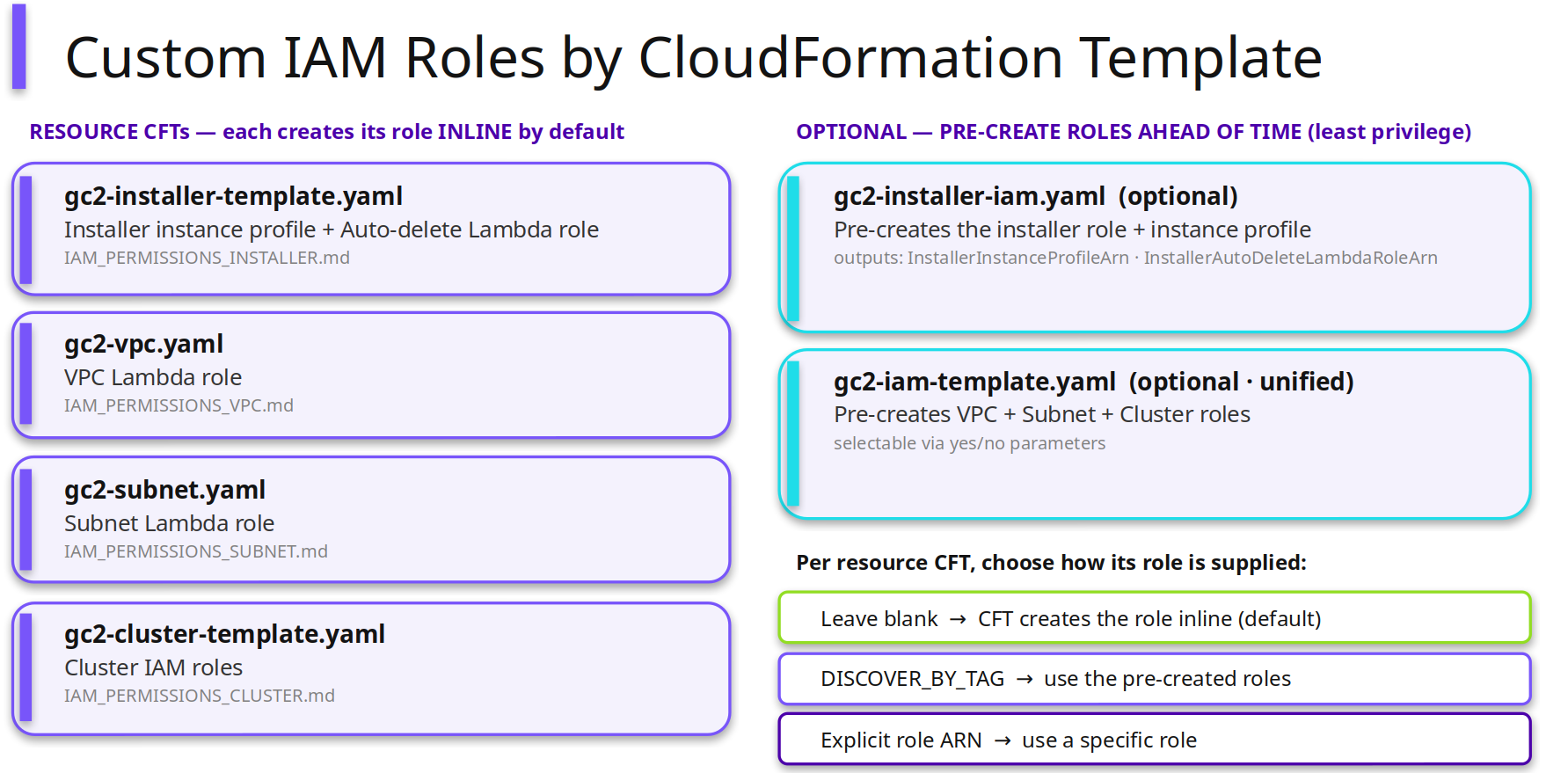
Every GC2 CloudFormation deployment creates the IAM roles it needs as part of the same stack, in the same run, by the same person kicking off the deployment. For most AWS accounts that’s a non-issue. You run the stack, it stands up its own roles behind the scenes, you move on with your day.
Government and highly regulated accounts don’t work that way. A lot of them have a hard rule: the person deploying infrastructure is not allowed to create, pass, or assume IAM roles. Full stop. It’s not a preference, it’s a control baked into how the account is governed, and it exists for a reason: identity and access management is exactly the kind of lever you don’t want in the hands of whoever happens to be running today’s deployment script.
Which puts you in an awkward spot. Your deployment tooling assumes the deployer can touch IAM. Your account policy says they can’t. Somebody has to blink, and until now, the answer was usually “find a person with more access than they should have, just for this one step.”
The new way: split the job in two
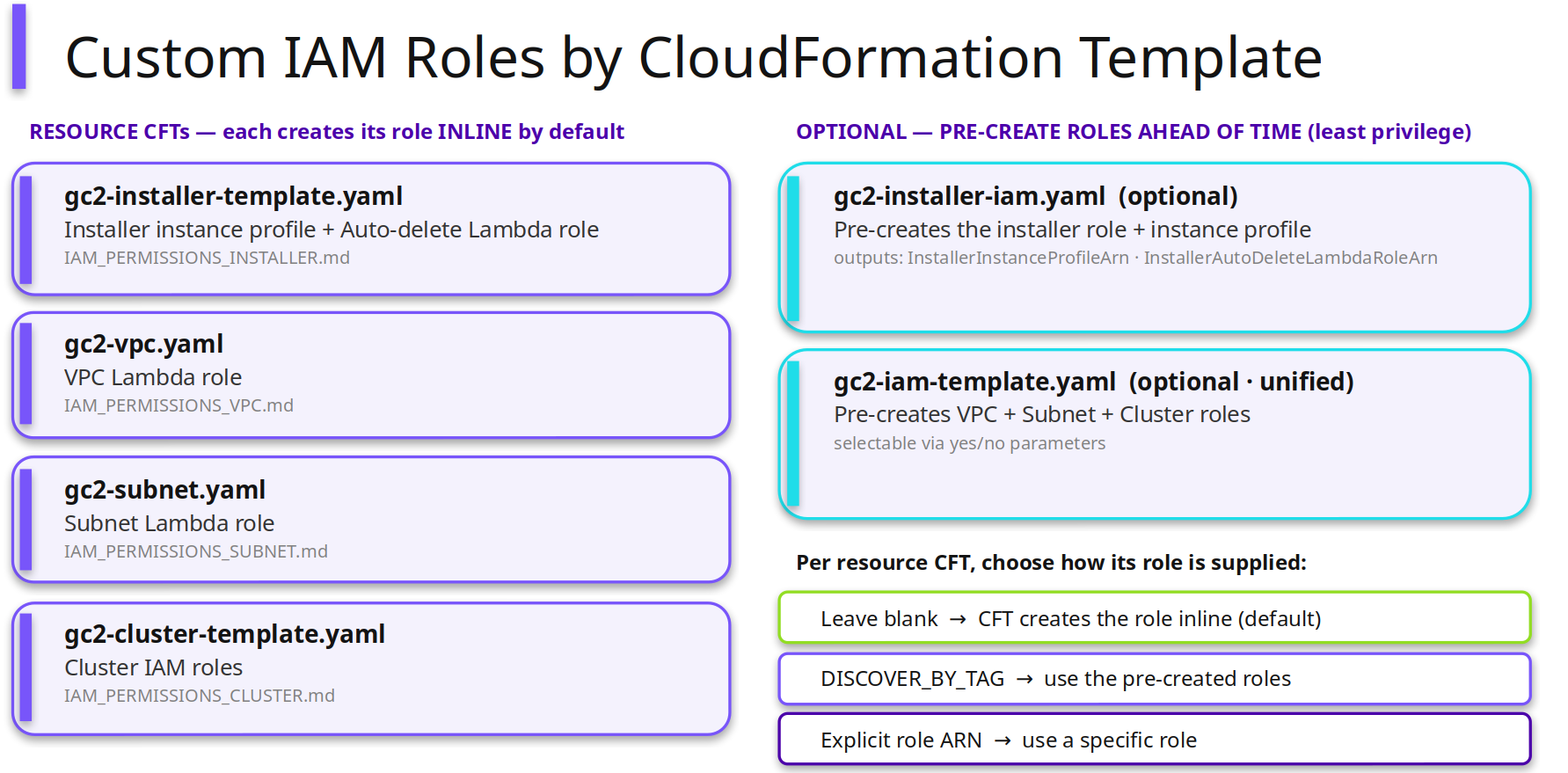
GC2 1.2 does something I like a lot more than a workaround: it splits deployment into two roles that were quietly forced into one.
Now there’s an optional path where an account administrator precreates the roles a deployment will need, ahead of time, as its own separate step. Least privilege, scoped to exactly what the deployment requires, nothing more. Once those roles exist, a different person (the operator) runs the actual deployment using only the access they’ve already been handed. They never touch IAM. They don’t need to, and in the accounts where this matters most, they’re not allowed to anyway.
The default behavior hasn’t changed. If your account is fine with inline role creation, nothing about your deployment experience is different. This is additive, not a replacement, which is exactly how a change like this should ship.
Why this actually matters for teams
The people who own IAM policy in a serious organization are not, usually, the same people running deployments. They shouldn’t have to be. Security teams want to define exactly what a deployment is allowed to touch and hand that down as a fixed set of permissions. Operations teams want to run deployments without stopping to negotiate a temporary IAM grant every time. GC2 1.2 lets both of those groups do their actual job instead of borrowing each other’s.
What I like about this change is that it doesn’t ask either team to compromise. The admin still gets to gatekeep IAM. The operator still gets to deploy without friction. The roles were already staged before the deployment ever started, so there’s no fight to have in the moment.
The short version
The old way put IAM in the same hands as the deployment, every time, whether the account allowed it or not. The new way lets you separate who defines access from who uses it, and stage that separation ahead of time instead of discovering it’s a problem mid-deployment. That’s a small architectural change with a genuinely large operational payoff for any team that’s ever had to explain to a security officer why a deployment engineer needed IAM rights they were never supposed to have.
Deployment Steps