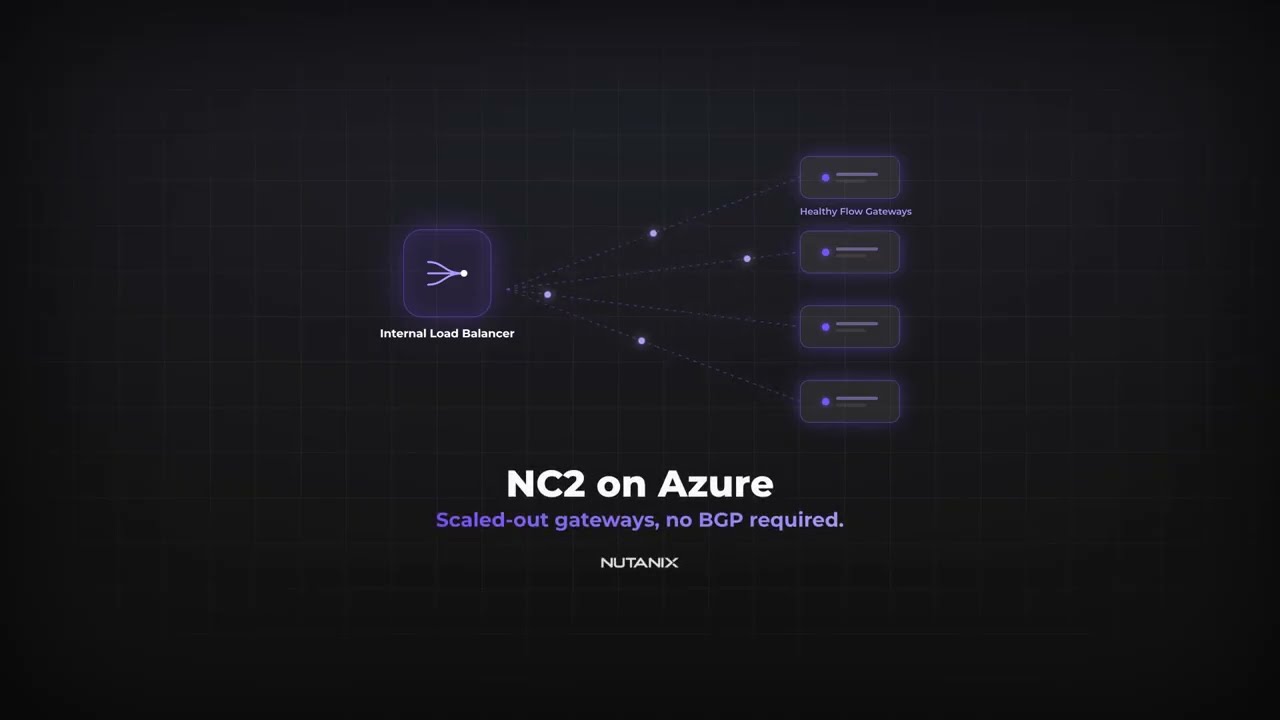
On NC2 for Azure, every packet that leaves or enters a user VM crosses the Flow Gateway. It is the bridge between the Nutanix overlay and the Azure network, which makes it the one component every workload depends on. Run a single gateway and you have both a bottleneck and a single point of failure, so for anything real you run a scaled-out set of two to four. That immediately raises the question the rest of this comes down to: how does traffic get spread evenly across all of them?
▶ Watch the 2-minute version on YouTube — same idea, with the failover and the deploy flow animated.
Two ways to spread the traffic
NC2 gives you two routing methods, and the difference between them is mostly a difference in what shows up on your Azure bill.
The first uses an Azure Route Server with a pair of BGP virtual machines. The VMs advertise your routable prefixes, and Azure spreads traffic across the gateways using equal-cost multipath. It works. But it comes with a standing cost: the Route Server is billed by the hour, and on top of that you are paying for two BGP VMs running around the clock, the storage they reserve, and a vCPU quota you have to request before you can even deploy them.
The second method skips all of that. You put an Azure Internal Load Balancer in front of the gateways instead. “Internal” is the part that matters to the story — it lives inside your VNet and never faces the internet. It is the same load balancer you already use for private services, doing the same job here.
How the internal load balancer does it
The load balancer sits in the same VNet as the Flow Gateways, and the gateways’ external interfaces become its backend pool. You turn on high-availability ports, which tells it to forward every port and protocol rather than just web traffic. A health probe checks each gateway on TCP port 22 every few seconds. Healthy gateways receive traffic; if one stops answering, the load balancer simply stops sending it work and the survivors carry the load.
That last part is the whole resilience story, and it happens without any of the machinery BGP requires. No route advertisement, no dynamic routing to reason about when something fails — just a health probe that already knows which gateways are alive.
What you trade, and what you save
The trade is real, and it is the one thing to weigh before you choose this path: without BGP advertising your routes, you add them yourself. That means static routes — user-defined routes in your Azure route tables — pointing your traffic at the load balancer, and you maintain those by hand as your prefixes change. BGP would have done that for you automatically.
In return you take an entire line of cost off the bill: no Route Server billed by the hour, no two BGP VMs running 24/7, no vCPU quota to request, and no extra gateway storage to reserve. An internal load balancer with HA ports costs a fraction of that stack.
For teams that genuinely need BGP — advertising routes back to on-prem, for instance — the Route Server method is still there and still the right call. But for teams that don’t, the load balancer is less to pay for, less to run, and less to break.
What you need before you deploy
Two things have to be true, and there is one choice to make. Your Prism Central has to be version 7.5 or later, and you have to be deploying more than one Flow Gateway — the routing-method option only appears when both are. The choice is the networking option: pick Create new networking resources when you build the cluster.
That last selection is what unlocks the easy path, and it is worth being deliberate about it.
NC2 builds it for you
Here is the part that used to be manual and isn’t anymore. You do not hand-build any of this in the Azure portal. When you create the cluster, you pick Create new networking resources and set the routing method to Internal Load Balancer, and NC2 provisions and manages the whole thing for you: a standard, internal, regional load balancer, a front-end IP in its own subnet, the gateways’ external interfaces wired into the backend pool, and an HA-ports rule with a TCP health probe on port 22. NC2 owns its lifecycle from there.
There is one prerequisite to clear first. The custom role for your subscription needs permission to join backend pools and manage network interfaces, so NC2 can do that wiring on your behalf. Grant that, and the rest assembles itself.
(If you bring your own network instead — the Use existing network resources path — you build the load balancer yourself beforehand. The automatic build is specific to letting NC2 create the network.)
The whole idea
Scaled-out Flow Gateways, distributed by a load balancer you already understand, with BGP taken off the table. Fewer parts, the same resilience, a smaller bill. For most NC2 on Azure deployments, that is the easier answer — and now it is a two-checkbox decision at cluster creation, not a networking project.
▶ Watch it on YouTube if you’d rather see the traffic flow and the failover than read about them.